
Here are the top FIVE priorities for any restaurant mobile website, and any restaurant owner or manager who wants to improve sales and boost profits, by making sure that your mobile website is easy to use, works well, and provides what your potential customers want to learn about your restaurant.

click to zoom
THE TOP 5 THINGS THEY’RE LOOKING FOR —
- LOCATION
- MENU
- CALL BUTTON
- HOURS OF OPERATION
- INCENTIVE
Let’s say a potential customer visits your restaurant website on their mobile phone. Obviously, the smart restaurant owner or manager would want to provide that potential customer exactly what they are looking for, and convert that potential customer into an actual customer. Yes, it’s that obvious!
BUT why then, do over 95% of mobile websites NOT provide this information that their potential customer wants? — Most restaurant websites do not even work on a phone!
Why would over 95% of restaurant mobile websites make it so incredibly difficult for customers to get that information instead of doing everything you can to get those people in your door?
Welcome to Ray’s Pizza
Just as an example of how your restaurant’s new great mobile website might look, I’ve created a mobile website for my restaurant. — I’ve always wanted to own a pizza brewpub. — This mobile website for Ray’s Pizza, like your site should, features an easy-to-navigate design and provides quality content that will get people into my restaurant.
I’ve made sure to provide those top five information needs, the things they are looking for when searching for a pizza restaurant. This is not difficult.
I’m not talking about driving to their house, picking them up, and giving them a free pizza party — although that could be a GREAT promotion or contest idea! — I’m talking about five things your mobile website can do to bring you new customers.
In a recent study, 9 out of 10 searches on a mobile device end up in a purchase. That sounds almost hard to believe, but imagine even 20% or 30% more customers?
What would your bottom line and bank account be looking like if you doubled your business? Tripled your business? — But let’s not get ahead of ourselves.
The Top 5 Things Restaurants Too Often Forget On Their Mobile Website
click to zoom
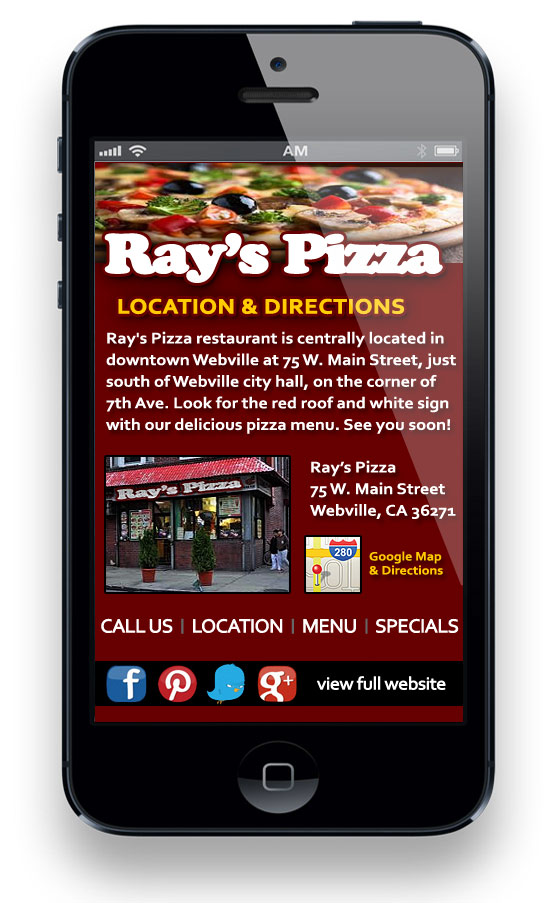
1) LOCATION — The number one thing people are looking for is how to find you. Luckily, Google, other search engines, and many other websites will list your restaurant’s location, and might have a map and driving directions features too. Take advantage of these tools, but don’t neglect your own website.
Make it easy for your customers to find you!
Start with making sure your mobile website has a prominent “Location” button on the home landing page (see above). You could simply link that button to your address in Google maps and driving directions. That would be one easy click for your potential customer, and works on most mobile devices.
An even better idea (see right) is that you could link that map or location or driving directions button (I called it Map & Driving Directions) to a mobile-optimized location custom page on your mobile website.
Here you would list your restaurant’s address and then provide a few more options to cater to the many different ways people would like to find you. Google Maps and Driving Directions is miserably slow sometimes, especially on a so-so mobile connection.
Start with a brief location description with landmarks. This is simple and the kind of directions I like. My location page example not only makes Ray’s Pizza easier to find, but as a bonus, improves search engine optimization (SEO), by easily including over a half-dozen relevant keywords and phrases, in your unique, localized content. That’s good marketing.
Another option for your location page might be a customized map with your restaurant’s location, or a map icon to quickly get your Google Map & Driving Directions. Some people are visual information processors, and will appreciate an image. I like to include a picture of the restaurant too, so people will know what they’re looking for when trying to find you.
Finally, on your location page, you certainly want to link to Google Maps, and perhaps Bing, Yahoo, or other map/direction links too. Don’t forget to check that your address is correct in these directory sites and search engines. If they have errors in your location listing, simply contact them (or “claim” your listing), to edit your information.
click to zoom
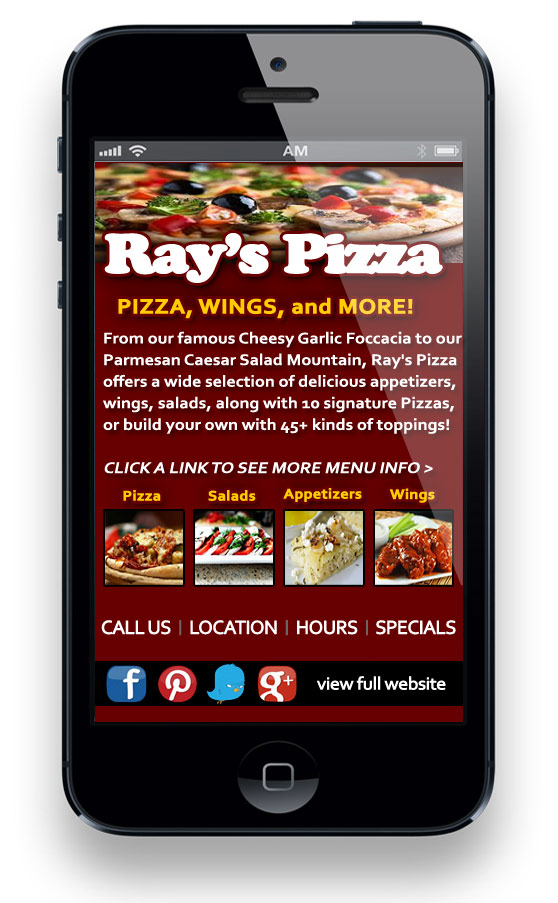
2) MENU — Another very common reason people are looking at your mobile website is to find out what kind of food you offer. When they click on your mobile website’s menu button, you want to take them to a mobile-optimized page of your menu items.
Make the pictures and text mouth-watering!
On the main menu page, start with a brief overview of what your restaurant’s menu and food themes are all about. Most menus can be huge, so think about splitting into several pages that is easier to navigate and view on the much smaller screens of mobile devices.
I like to create a custom page for each menu category (ie breakfast, appetizers, salads, burgers, signature dishes, desserts, etc.) just like the menu in most restaurants have different menu sections to look at.
Include small, mobile-optimized images of your best-looking menu items, or even a small picture for each menu category. Just make sure those images are very small file size so your mobile site loads quickly. To help boost your SEO, include an alt description, keywords, and title for each image. Plus with every additional custom content page, that’s even more great SEO for your mobile website.
click to zoom
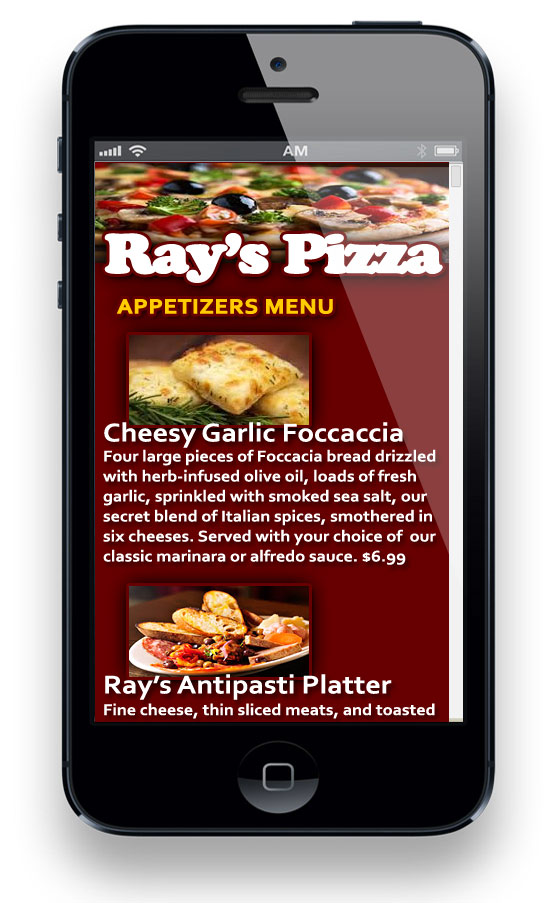
On the custom pages, you can list each menu item in that category, with the name in bold and a brief text description. Include the price if you wish, but remember to keep those updated if you change any of your prices.
Notice how the scroll bar shows up on this page because this will be a longer page. All this keyword-rich text and every one of your images (title, description, and alt text) is again good SEO, and helps your restaurant’s visibility in web searches.
Although you cannot see it in this image, just like the other pages, at the bottom of the page, include your other top links as well as links to your other menu categories.
*ADVANCED FUNCTIONALITY — Think about including an admin page with a function so you can easily update your daily or weekly specials page. This requires a little more custom functionality for your mobile website, but this would be a great option so that you can easily update your specials.
click to zoom
3) CALL / RESERVATIONS — Some 70-80% of restaurant mobile websites make it unbelievably difficult to find the phone number for their customer to call them. At the very minimum, your phone number needs to be prominent, and should be an easy “tap to call” button or call-linked phone number.
They hit call, their phone calls you. Too easy!
For most restaurants, this call button is perfectly adequate, however there are also many reservation scripts, apps, or outside services to handle your reservation system needs.
There are a plethora of options beyond the scope of this article, but I just wanted to stress that you don’t need to reinvent the wheel, or have some web developer create some special custom app for you. That is almost always an unnecessary time and cost. For most restaurants, one of the mobile apps or services already built will work if you really need to have a more complex reservations system.

click to zoom
4) HOURS — It is truly amazing how many restaurants fail to include their hours of operation on their mobile website. Just this past weekend, I really wanted to take a date to this great Thai restaurant I’d just heard about, but their website didn’t list their hours, and my phone calls went to voice mail.
I made the mistake to assume they’d be open Saturday night and that they were simply busy to answer the phone, but when we drove out there, a sign said, “Closed Sat & Sun”, so we ate elsewhere, a little annoyed we drove all that way.
For the custom hours page (and other custom mobile pages), simply think of what your customers would want to know. Are you closed some days? If you’re a breakfast place, how early are you open? How late do you serve dinner? Are you open every day of the week? Maybe you offer happy hour?
Don’t forget to include the hours on your mobile website. This is great info for your customers, again as long as you keep it updated. Simply create a button on your mobile home page linked to a custom page with the hours. If you have extra space on the bottom of this page, you could include the location link to map and driving directions again.
click to zoom
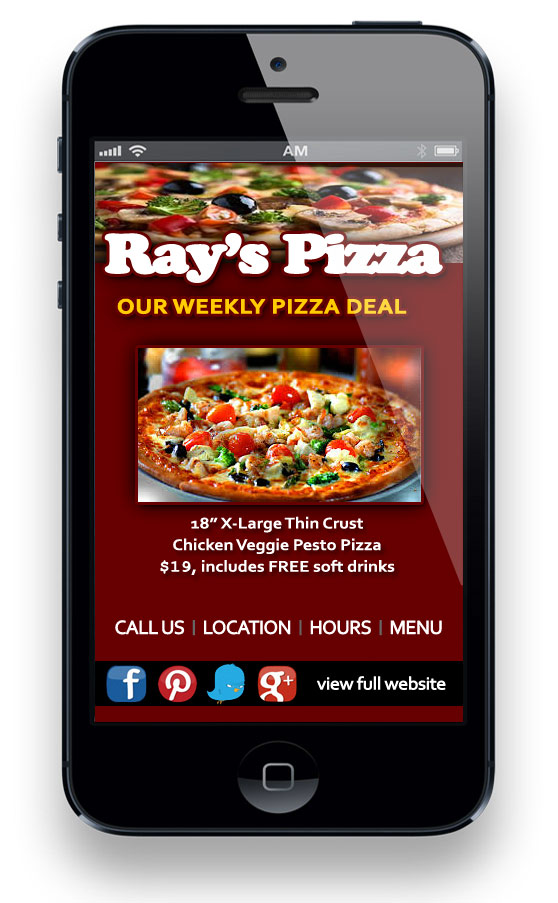
5) INCENTIVE — Most restaurants are doing some type of coupon or promo list or some other incentive marketing. People like to get a deal, and if you can get new people in the door, you will succeed. Be sure to consider your incentives when thinking about your mobile marketing strategy.
If you are offering some type of coupon, intro offer, or other promotional incentive for people to visit your restaurant, include the information on your mobile website.
Ray’s Pizza offers a special weekly pizza deal, and is building a mobile marketing list via an easy shortcode for mobile website visitors to get a text message with a special discount.
Finally, at the bottom or somewhere on your mobile website pages, include links to your restaurant’s social media or review website profiles or pages. Also include a link for the phone user to view the full desktop website just in case they are looking for more information or something else that’s on the full site. Keep your mobile site focused on the top five and you’ll be fine.
In conclusion, your mobile website should be an easy tool for your potential customers to use and great marketing for your business. Make sure your mobile website loads quickly, works well, and provides what your potential customers want to learn. This will help convert these curious people into actual customers. By including your location, a call button, your menu, your hours of operation, and any coupons or incentives to visit, more and more people will find it much easier to give your restaurant a try.
Of course, then it’s up to you, your hosts, servers, and kitchen team to keep them coming back with excellent food and impeccable service. ~ WebWorkPro.com can’t help you there, but we can help you with mobile website development.